
Subscribe to RSS feeds in Minimal Reader using the Chrome RSS Extension

·1 min

A quick tip I worked out today. If you are using the excellent Minimal Reader for your RSS feeds and want to quickly subscribe using the RSS Subscription Extension in Chrome, go to the extensions options page and add a new feed reader using this as the URL.

https://minimalreader.com/settings/subscriptions/add?url=%s

Now when you use the extension to subscribe to a feed, it will take you to the add subscription page in Minimal with the URL already completed.
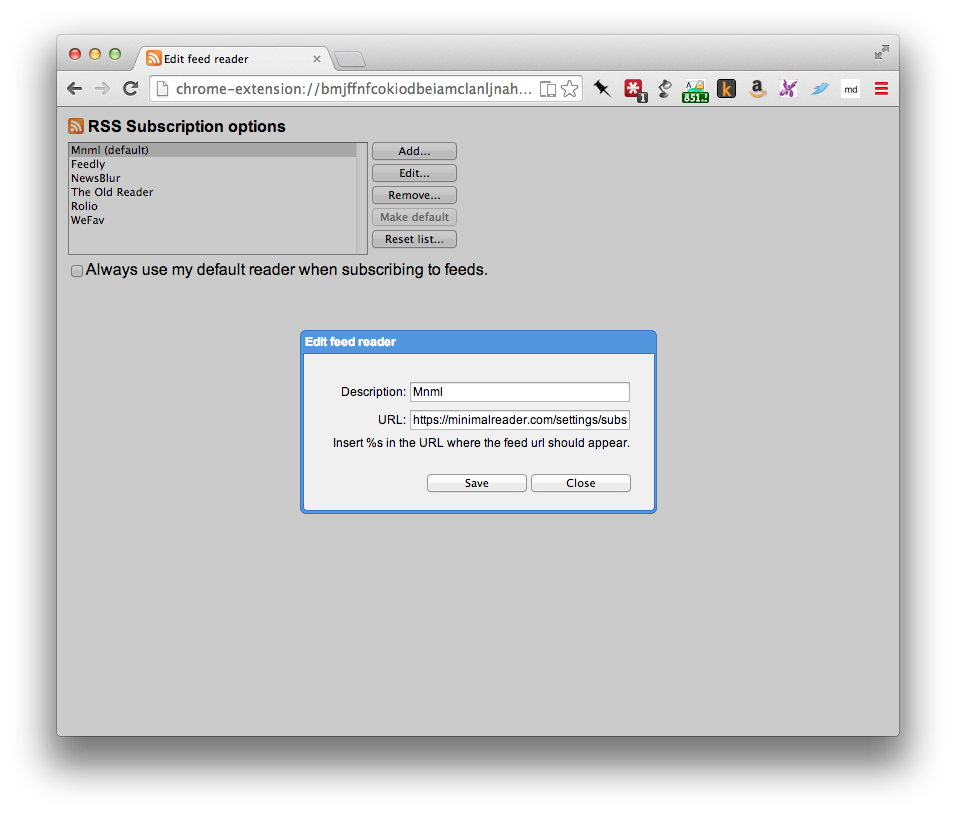
A browser window displaying the "RSS Subscription options" page with a modal dialog titled "Edit feed reader." The dialog contains fields for "Description" with the text "Mnml" and "URL" with the website link "https://minimalreader.com/settings/subs."

Want great, practical advice on implementing data mesh, data products and data contracts?

In my weekly newsletter I share with you an original post and links to what's new and cool in the world of data mesh, data products, and data contracts.

I also include a little pun, because why not? 😅

    Newsletter

    (Don’t worry—I hate spam, too, and I’ll NEVER share your email address with anyone!)


    Andrew Jones
    Author
    Andrew Jones
    I build data platforms that reduce risk and drive revenue.