Per-project VS Code coloured windows
Following on from my trick to change my terminal colour based on the project (git repo) I’m in, Simon Späti shared that he does the same for his editor, Neovim.
Which got me thinking, could I do the same for my editor, VS Code?
Turns out I could by writing a small VS Code extension, with AI assistance.
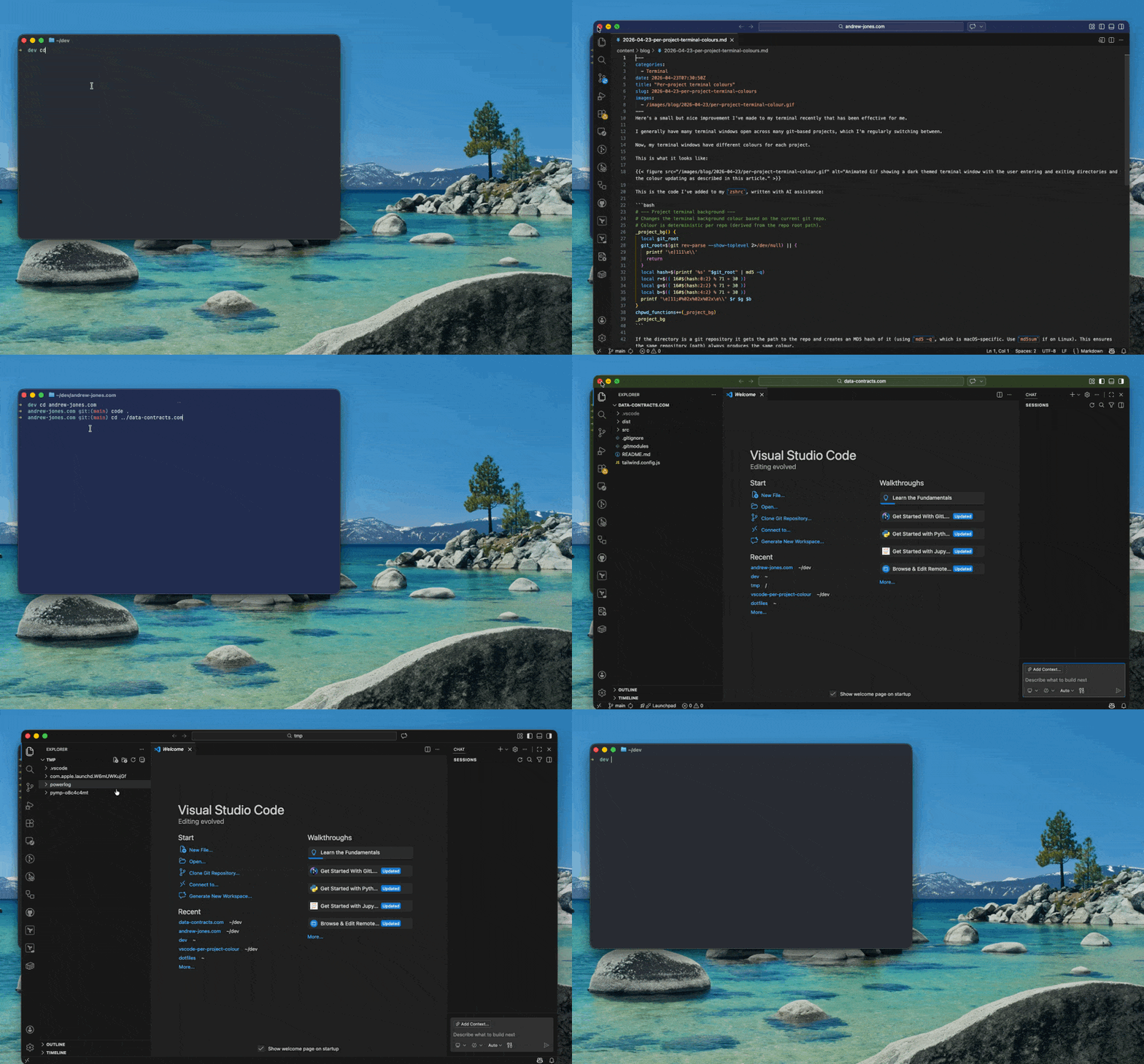
This only changes the colour of the title bar, rather than the entire background like my terminal implementation, so it’s more subtle, but still provides a good context signal.
I’m pleasantly surprised how simple the code is and how little boilerplate is needed to create a VS Code extension.
So, now both my terminal and my editor have the same colour, giving a visual clue when I’m working across different projects.
I’m not planning to publish the extension to the VS Code marketplace as it feels a bit niche, but the code is on Github and it’s easy to build locally if you want to install it yourself.