Per-project terminal colours
Here’s a small but nice improvement I’ve made to my terminal recently that has been effective for me.
I generally have many terminal windows open across many git-based projects, which I’m regularly switching between.
Now, my terminal windows have different colours for each project.
This is what it looks like:
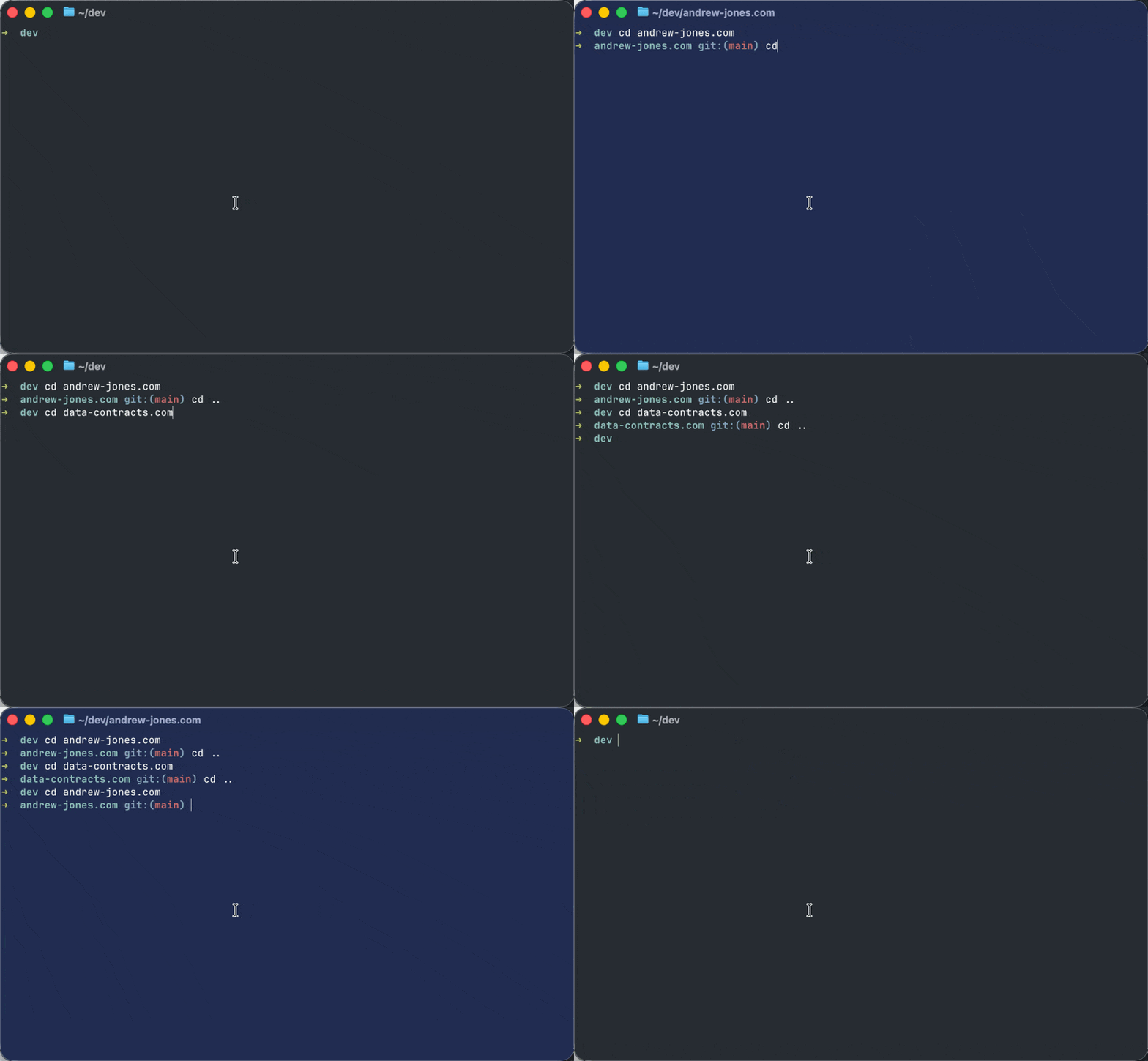
This is the code I’ve added to my zshrc, written with AI assistance:
# --- Project terminal background ---
# Changes the terminal background colour based on the current git repo.
# Colour is deterministic per repo (derived from the repo root path).
_project_bg() {
  local git_root
  git_root=$(git rev-parse --show-toplevel 2>/dev/null) || {
    printf '\e]111\e\\'
    return
  }
  local hash=$(printf '%s' "$git_root" | md5 -q)
  local r=$(( 16#${hash:0:2} % 71 + 30 ))
  local g=$(( 16#${hash:2:2} % 71 + 30 ))
  local b=$(( 16#${hash:4:2} % 71 + 30 ))
  printf '\e]11;#%02x%02x%02x\e\\' $r $g $b
}
chpwd_functions+=(_project_bg)
_project_bg
If the directory is a git repository it gets the path to the repo and creates an MD5 hash of it (using md5 -q, which is macOS-specific. Use md5sum if on Linux). This ensures the same repository (path) always produces the same colour.
To generate a colour it then extracts 2-character hex pairs from the hash and converts them from hex to decimal. Only values 30-100 are used, so the background is always dark and white text remains readable.
Finally it sets the colour using OSC 11.
It hooks into Zsh’s chpwd_functions array, so it automatically runs when the directory changes.
Now when I’m switching between terminal windows I get a clear context signal telling me which project I’m currently in.
I’ve only tested this with Ghostty, and the code can also be found in my dotfiles repository.